

Site Generation#
Beyond per-page Markdown transforms, the plugin ships the build-level features a documentation site needs: static HTML generation, per-page Open Graph images, content collections, and generated API docs.
| Option | Default | Purpose |
|---|---|---|
ssg |
{ enabled: true } |
Generate static HTML pages during build. |
ogImage |
false |
Generate per-page Open Graph images. |
editThisPage |
false |
Append "Edit this page" links. |
collections |
content collection |
Query Markdown files from client code. |
docs |
{ enabled: true } |
Generate API docs from JSDoc/TSDoc. |
transformers |
[] |
Custom Markdown AST transforms. |
Static Site Generation#
SSG is on by default: every Markdown file under srcDir becomes a static
HTML page with the default theme, navigation, and search UI. The site you are
reading is generated exactly this way.
import { defineConfig } from "vite-plus";
import { oxContent, defineTheme, defaultTheme } from "@ox-content/vite-plugin";

export default defineConfig({
  plugins: [
    oxContent({
      srcDir: "content",
      outDir: "dist/docs",
      ssg: {
        siteName: "Ox Content",
        siteUrl: "https://example.com",
        lastUpdated: true,
        theme: defineTheme({
          extends: defaultTheme,
          sidebar: [
            {
              text: "Guide",
              items: [{ text: "Getting Started", link: "/getting-started.md" }],
            },
          ],
        }),
      },
    }),
  ],
});
| Option | Default | Purpose |
|---|---|---|
enabled |
true |
Set ssg: false to keep only .md modules. |
extension |
".html" |
Generated page extension. |
clean |
false |
Remove generated output before writing. |
bare |
false |
Emit unthemed HTML without navigation. |
render |
— | JSX component that owns the whole document. |
lang |
"en" |
lang attribute on <html> (bare mode). |
head |
— | Raw markup appended to <head> (bare mode). |
bodyStart |
— | Raw markup after <body> (bare mode). |
bodyEnd |
— | Raw markup before </body> (bare mode). |
siteName |
— | Suffix for <title> and OG site name. |
siteUrl |
— | Origin used for absolute OG URLs. |
ogImage |
— | Static fallback OG image URL. |
generateOgImage |
false |
Per-page OG images (see below). |
lastUpdated |
false |
Show the git last-commit time per page. |
theme |
defaultTheme |
Theme configuration via defineTheme(). |
navigation |
derived | Explicit navigation groups instead of the file tree. |
Theming — colors, fonts, header, footer, sidebar, custom CSS — is a topic of its own: see Theming.
Custom Theme Component#
ssg.render hands the whole document to a JSX component. The component owns
everything from <html> down, so theme, bare and the head metadata options
do not apply — nothing is injected that you did not write.
import { createTheme, usePageProps, useSiteConfig } from "@ox-content/vite-plugin";

function DefaultLayout({ children }) {
  const page = usePageProps();
  const site = useSiteConfig();
  return (
    <html lang="ja">
      <head>
        <title>{`${page.title} | ${site.name}`}</title>
        <link rel="stylesheet" href="/assets/site.css" />
      </head>
      <body>{children}</body>
    </html>
  );
}

oxContent({
  ssg: { render: createTheme({ layouts: { default: DefaultLayout } }) },
});
createTheme() picks the layout named by each page's layout frontmatter,
falling back to default. Inside a layout, usePageProps() gives the current
page and useSiteConfig() gives the site-wide config including navigation and
every other page.
This uses the built-in JSX runtime, so configure jsxImportSource as described
in MDX and JSX.
Bare Mode#
bare: true emits the rendered Markdown body without the navigation, layout
shell or theme styles. It is what you want when the project brings its own
design system, or when you are measuring the no-JavaScript baseline.
Bare pages still carry the head metadata the plugin already computes — the
description, og:* and twitter:* tags, the canonical link, and the generated
OG image. That metadata only appears when there is something to say: a page
with no description, no siteUrl and no OG image renders exactly the minimal
document bare mode has always emitted, so the size baseline stays honest.
Everything else is yours to inject:
oxContent({
  ssg: {
    bare: true,
    lang: "ja",
    siteUrl: "https://example.com",
    head: '<link rel="stylesheet" href="/assets/site.css">',
    bodyStart: "<header>…</header><main>",
    bodyEnd: "</main><footer>…</footer>",
  },
});
siteUrl is what turns on <link rel="canonical"> and the absolute og:url;
without it those tags are omitted rather than guessed.
OG Images#
Generate a social preview image per page at build time:
oxContent({
  ogImage: true,
  ssg: {
    generateOgImage: true,
    siteUrl: "https://example.com",
  },
});
Each page gets an image rendered from its title and description. This page's generated image looks like this:

ogImageOptions |
Default | Purpose |
|---|---|---|
template |
built-in | Custom template: .ts, .vue, .svelte, or .tsx. |
width |
1200 |
Image width in pixels. |
height |
630 |
Image height in pixels. |
cache |
true |
Skip re-rendering unchanged pages. |
concurrency |
1 |
Parallel image renders. |
Under bare, the images are generated and referenced: bare pages carry the
same og:image / twitter:image tags the themed pages get. buildSsg() also
returns an ogImages map of source path to image URL, so a post-processing
step does not have to go looking for og-image.png in the output tree.
During dev, /__og-viewer previews every page's Open Graph metadata and
image (the ogViewer option, on by default):
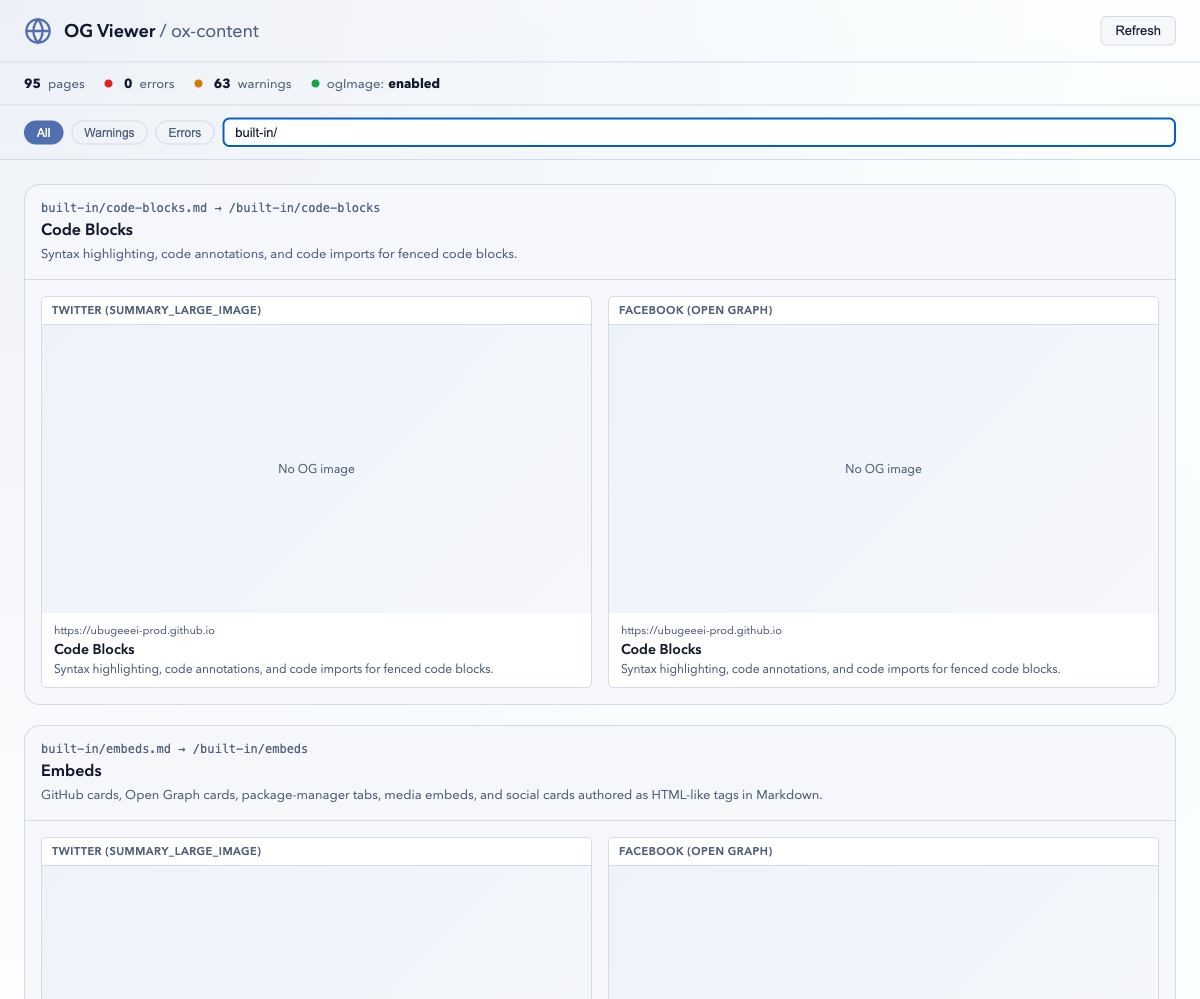
Custom templates receive the page frontmatter as props — see Custom OG Image Templates.
Edit This Page#
Append a "suggest an edit" link to every page. The option is enabled by
providing repoUrl — a bare editThisPage: true stays disabled because
there is nothing to link to:
oxContent({
  editThisPage: {
    repoUrl: "https://github.com/ubugeeei-prod/ox-content",
    branch: "main",
    label: "Edit this page",
  },
});
The rendered link points at the file that produced the page:
<p class="ox-edit-this-page">
  <a
    href="https://github.com/ubugeeei-prod/ox-content/edit/main/docs/content/example.md"
    target="_blank"
    rel="noopener noreferrer"
    >Edit this page</a
  >
</p>
Set rootDir when source paths need a prefix stripped before being joined to
the edit URL.
Collections#
Collections expose Markdown files as a lazily-loaded, queryable manifest —
useful for blog indexes, changelogs, or "related pages" lists. A default
content collection covering every Markdown file exists out of the box:
import { queryCollection } from "virtual:ox-content/collections";

const guides = await queryCollection("content")
  .where("path", "LIKE", "/guide/%")
  .order("title", "ASC")
  .limit(10)
  .all();
The full query builder — operators, grouped conditions, dot-path access to
frontmatter, select/order/limit — is documented on its own page: see
Collections.
API Docs#
docs generates Markdown API references from JSDoc/TSDoc comments — the
cargo doc workflow for TypeScript. It is on by default (docs: false opts
out) and writes into srcDir so the generated pages join the site:
oxContent({
  docs: {
    src: ["./src"],
    out: "content/api",
    include: ["**/*.ts"],
    exclude: ["**/*.test.*"],
    githubUrl: "https://github.com/owner/repo",
    generateNav: true,
  },
});
The API Reference on this site is generated by this pipeline from the plugin's own sources. The full option set — entry points, grouping, sorting, link styles, per-kind rendering formats — is documented in API Docs from JSDoc.
Custom Transformers#
transformers run against the Markdown AST between parsing and rendering, for
project-specific rewrites that should stay out of page content:
import type { MarkdownTransformer } from "@ox-content/vite-plugin";

const stampDrafts: MarkdownTransformer = {
  name: "stamp-drafts",
  transform(ast, context) {
    if (context.frontmatter.draft) {
      ast.children.unshift({
        type: "paragraph",
        children: [{ type: "text", value: "🚧 Draft — not published yet." }],
      });
    }
    return ast;
  },
};

oxContent({
  transformers: [stampDrafts],
});
Each transformer receives the parsed AST plus { filePath, frontmatter, options } and returns the (possibly replaced) AST. Transformers compose in
array order.
Related#
- Theming — the theme system used by SSG.
- API Docs from JSDoc — the full
docsoption reference. - Internationalization — locale-aware sites on top of SSG.