

Embeds#
Embeds are HTML-like tags in Markdown that expand into static HTML at transform time. Two are enabled by default because they produce plain static markup; everything else is opt-in.
| Embed | Option | Default | Authoring form |
|---|---|---|---|
| GitHub card | embeds.github |
true |
<GitHub repo="owner/name" /> |
| Open Graph link card | embeds.openGraph |
true |
<OgCard url="https://..." /> |
| Package manager tabs | embeds.pm |
false |
<pm>npm install pkg</pm> |
| Twitter/X | embeds.twitter |
false |
<Tweet /> or <XPost /> |
embeds.reddit |
false |
<Reddit url="https://..." /> |
|
| Bluesky | embeds.bluesky |
false |
<Bluesky /> |
| Google Maps | embeds.googleMaps |
false |
<GoogleMaps url="https://..." /> |
| Qiita | embeds.qiita |
false |
<Qiita url="https://..." /> |
| Zenn | embeds.zenn |
false |
<Zenn url="https://..." /> |
| Package registries | embeds.packageRegistry |
false |
<NpmPackage url="https://..." /> |
| Playgrounds | embeds.playgrounds |
false |
<CodePen url="https://..." /> |
| Vimeo | embeds.vimeo |
false |
<Vimeo url="https://..." /> |
| Twitch | embeds.twitch |
false |
<Twitch url="https://..." /> |
| Discord | embeds.discord |
false |
<Discord url="https://..." /> |
| Fediverse | embeds.fediverse |
false |
<Mastodon url="https://..." /> |
embeds.facebook |
false |
<Facebook url="https://..." /> |
|
| Threads | embeds.threads |
false |
<Threads url="https://..." /> |
embeds.instagram |
false |
<Instagram url="https://..." /> |
|
| Spotify | embeds.spotify |
false |
<Spotify url="https://..." /> |
| Apple Music | embeds.appleMusic |
false |
<AppleMusic url="https://..." /> |
| Speaker Deck | embeds.speakerDeck |
false |
<SpeakerDeck url="https://..." /> |
| Audio | embeds.audio |
false |
<Audio src="https://..." /> |
| Video | embeds.video |
false |
<Video src="https://..." /> |
| StackBlitz | embeds.stackBlitz |
false |
<StackBlitz url="https://..." /> |
| WebContainer | embeds.webContainer |
false |
<WebContainer /> |
Tabs and YouTube embeds are not part of the embeds option: they are always
processed in SSG builds and dev preview, with no configuration needed. They are
covered below because they share the same authoring model.
Documented PascalCase tags such as <Tweet> and <OgCard> work in both .md
and .mdx. A document-local import of the same name (import Tweet from "./Tweet") overrides the built-in and stays an MDX island.
One tag, one line, in .md#
The examples below spread attributes over several lines for readability. That
form needs MDX. In a plain .md file a tag has to open and close its > on the
same line:
<Bluesky url="https://bsky.app/profile/danabra.mov/post/3mqzxmtfnxk2b" handle="danabra.mov">…</Bluesky>
CommonMark only starts a raw HTML block when the opening tag finishes on the
line it began on. A tag left open at the end of a line is prose, so its
attributes render as text, its URLs turn into links, and the lone > line
becomes a blockquote. Enable mdx to write the multi-line form.
Disable every built-in embed with embeds: false, or configure embeds
individually:
import { oxContent } from "@ox-content/vite-plugin";

export default {
  plugins: [
    oxContent({
      embeds: {
        github: { maxSourceLines: 120 },
        openGraph: { timeout: 5000 },
        pm: { sync: true },
        twitter: true,
        reddit: true,
        bluesky: true,
        qiita: true,
        zenn: true,
        packageRegistry: true,
        playgrounds: true,
        vimeo: true,
        twitch: { iframe: true, parent: "docs.example.com" },
      },
    }),
  ],
};
GitHub Cards#
embeds.github renders repository cards and source snippets from the GitHub
API at build time. The output is static HTML — no client-side JavaScript, no
third-party widget script.
A repository card:
<GitHub repo="ubugeeei-prod/ox-content" />
all-in-one markdown toolchain ― fastest, tiniest, framework agnostic, powerful, customizable
A source snippet pinned to a ref and line range:
<GitHub repo="ubugeeei-prod/ox-content" path="README.md" ref="main" loc="1-10" />
<p align="center">
  <picture>
    <source media="(prefers-color-scheme: dark)" srcset="./assets/oxcontent-light.svg">
    <source media="(prefers-color-scheme: light)" srcset="./assets/oxcontent-dark.svg">
    <img alt="Ox Content logo" src="./assets/oxcontent-dark.svg" height="60">
  </picture>
</p>

<p align="center">
  <strong>High-performance Markdown toolkit</strong><br>
A permalink form is also supported — paste a GitHub blob URL with #L10-L18
line anchors:
<GitHub permalink="https://github.com/ubugeeei-prod/ox-content/blob/278098b/npm/vite-plugin-ox-content/src/plugins/github.ts#L10-L18" />
import rehypeStringify from "rehype-stringify";
import type { Root, Element } from "hast";

export interface GitHubRepoData {
  name: string;
  full_name: string;
  description: string | null;
  html_url: string;
  stargazers_count: number;
The source card header links to the blob and, when the GitHub API returns it, shows the latest commit that touched that path at the pinned ref.
| Option | Default | Purpose |
|---|---|---|
token |
"" |
GitHub API token for rate limits and private repos. |
cache |
true |
Cache API responses in memory. |
cacheTTL |
3600000 |
Cache lifetime in milliseconds. |
maxSourceBytes |
200000 |
Skip files larger than this. |
maxSourceLines |
120 |
Max inline lines when no range is given. |
process.env.GITHUB_TOKEN is picked up automatically when no explicit token
is configured. If a repository or file cannot be fetched during the build —
offline CI, rate limits, an invalid path — the embed renders a fallback link
card instead of failing the build.
GitHub issue, pull request, commit, discussion, and gist URLs also render as
static cards through the same embeds.github option:
<GitHub url="https://github.com/ubugeeei-prod/ox-content/issues/699" />
<GitHub url="https://github.com/ubugeeei-prod/ox-content/pull/1025" />
<GitHub url="https://github.com/ubugeeei-prod/ox-content/commit/5399e080b5320d730e410a49a5aab42ba670a1f1" />
<GitHub url="https://github.com/ubugeeei-prod/ox-content/discussions/1" />
<GitHub url="https://gist.github.com/ubugeeei/0123456789abcdef0123456789abcdef" />
These resource cards use unauthenticated public metadata fetches only. Deleted, private, rate-limited, or unsupported resources fall back to deterministic link-only cards.
Open Graph Cards#
embeds.openGraph fetches a page's Open Graph metadata at build time and
renders a static link card:
<OgCard url="https://vite.dev" />
 vitejs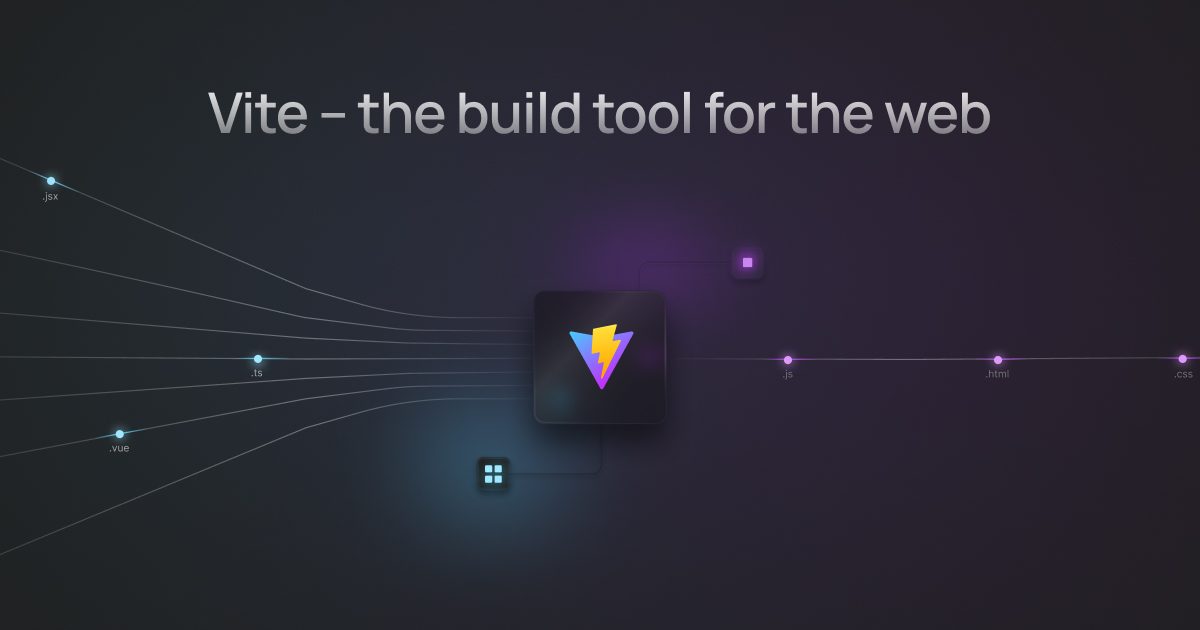
| Option | Default | Purpose |
|---|---|---|
timeout |
10000 |
Fetch timeout in milliseconds. |
cache |
true |
Cache fetched metadata in memory for this process. |
cacheTTL |
3600000 |
Freshness window in milliseconds. |
persistCache |
false |
Persist successful and negative entries across builds. |
cacheDir |
.cache/ox-content/ogp |
Persistent metadata cache directory. |
refresh |
false |
Re-fetch even when a fresh cache entry exists. |
userAgent |
ox-content-ogp-bot/1.0 ... |
User agent sent to the target. |
Set persistCache: true to reuse metadata across clean builds and CI workers.
Successful lookups and unavailable URLs are stored as one JSON file per
normalized URL under cacheDir. Fresh entries skip the network; expired
entries and refresh: true fetch again and replace the file atomically.
Corrupt files are ignored so they cannot poison later builds. Metadata you
already supply to the transform still wins over cache and fetch.
Unreachable pages fall back to a plain link card. Requests to localhost, private IP ranges, and non-HTTP(S) schemes are rejected, so Markdown content cannot probe the network the build runs in.
Card text is decoded from the page's own markup, so an og:title written as
Tips & Tricks renders as Tips & Tricks. An og:image is resolved
against the page it was declared on — absolute, protocol-relative, and
document-relative forms all work — and is dropped when it resolves somewhere
the fetcher would refuse to go.
The favicon comes from the target page's own <link rel="icon">, falling back
to /favicon.ico on that origin. No third-party favicon service is contacted,
so rendering a card never tells an outside host which links a documentation
page carries.
When an embed cannot be resolved#
A provider only renders a card for input it recognises. When an enabled provider cannot resolve a tag — a host it does not serve, a path shape it does not know — the tag degrades to a plain link rather than staying in the page as an unknown element:
<a
  class="ox-embed-fallback"
  href="https://qiita.com/ubugeeei"
  target="_blank"
  rel="noopener noreferrer"
  >https://qiita.com/ubugeeei</a
>
The link text is the tag's body, then its title, then the URL. The fallback
carries no provider name in its class, so a look-alike host cannot borrow a
provider's styling — a renderer reports only that the input is not its own,
never whether the host was wrong or merely the path.
A tag whose URL is not safe to link to at all — a non-HTTPS scheme, embedded credentials — keeps its original markup, and a provider that is switched off is left untouched.
Package Manager Tabs#
embeds.pm expands one npm-style command into an accessible tab group for
vp (Vite+), pnpm, bun, npm, and yarn:
oxContent({
  embeds: {
    pm: true,
  },
});
<pm>npm install -D @ox-content/vite-plugin @ox-content/theme-swiss</pm>
vp install -D @ox-content/vite-plugin @ox-content/theme-swisspnpm add -D @ox-content/vite-plugin @ox-content/theme-swissbun add -D @ox-content/vite-plugin @ox-content/theme-swissnpm install -D @ox-content/vite-plugin @ox-content/theme-swissyarn add -D @ox-content/vite-plugin @ox-content/theme-swissThe command is converted natively in Rust — npm install -D becomes
vp install -D, pnpm add -D, bun add -D, and yarn add -D, while
npx <bin> becomes vp exec -- <bin>. The tabs work without client-side
JavaScript; selection uses CSS :has(). Opt in to pm: { sync: true } to
synchronize the selected package manager across every block on the page via
localStorage. See
Package Manager Tabs for the full
conversion table.
Tabs#
Generic tab groups use the same widget as package-manager tabs and are always available in SSG builds and dev preview:
<tabs>
<tab label="Install">
<pre><code>pnpm add -D @ox-content/vite-plugin
pnpm add -D @ox-content/theme-swiss</code></pre>
</tab>
<tab label="Config">
<pre><code>oxContent({ srcDir: "content", embeds: { pm: true } })</code></pre>
</tab>
<tab label="Markdown">
<pre><code>---
title: Install
---
Install Ox Content with the package manager you prefer.
<pm>npm install -D @ox-content/vite-plugin</pm></code></pre>
</tab>
<tab label="Build">
<pre><code>pnpm vite build
pnpm vite preview</code></pre>
</tab>
</tabs>
pnpm add -D @ox-content/vite-plugin
pnpm add -D @ox-content/theme-swiss
oxContent({ srcDir: "content", embeds: { pm: true } })---
title: Install
---
Install Ox Content with the package manager you prefer.
pnpm vite build
pnpm vite preview
A <tab> without a label attribute falls back to Tab 1, Tab 2, and so
on.
For adjacent code samples, prefer the opt-in ::: code-group form instead of
hand-written <tabs>. See Code Groups.
YouTube#
YouTube embeds are always processed in SSG builds and dev preview. The iframe
uses privacy-enhanced mode (youtube-nocookie.com) and lazy loading by
default:
<YouTube id="Ny8pjacNIv8" title="An Evening with Ron Carter at Emmet’s Place" />
id, url, and href attributes are accepted; youtu.be, watch?v=,
shorts, and embed URL shapes are all recognized. start accepts a
non-negative integer number of seconds and becomes ?start= on the iframe
URL. Invalid, negative, fractional, overflowing, or duplicated values are
ignored. Omitting start leaves the previous URL unchanged.
<YouTube id="Ny8pjacNIv8" title="An Evening with Ron Carter at Emmet’s Place" start="4190" />
Twitter/X#
embeds.twitter renders posts as static cards and never loads the third-party
widget script. With twitter: true, the embed is a privacy-conscious card. The
element body provides the post text, and optional attributes can add author,
avatar, timestamp, engagement metrics, and a clear original-post link without a
network request:
<XPost
  url="https://x.com/evanyou/status/1688035849638977536"
  displayName="Evan You"
  handle="evanyou"
  dateLabel="Aug 6, 2023"
  replies="134"
  likes="6.2K"
>
  Thank you JavaScript.
</XPost>


Use the object form to fetch the post body, author, avatar, photos, and video
posters at build time and serve them from your own origin. Fetched cards include
timestamp, source link, available reply/repost/quote/like/view metrics, a nested
quoted-post card, and a “Replying to @…” link when the syndication response has
that metadata. appearance: "full" opts into a sveltweet / react-tweet-shaped
static card:
oxContent({
  embeds: {
    twitter: {
      fetch: true,
      lang: "en",
      appearance: "compact",
      timeZone: "UTC",
      mediaOutputDir: "public/ox-content/twitter",
      mediaPublicPath: "/ox-content/twitter",
    },
  },
});
| Option | Default | Purpose |
|---|---|---|
fetch |
false |
Fetch post content at build time. |
lang |
"en" |
Syndication language and displayed date. |
timeout |
10000 |
Metadata request timeout in milliseconds. |
cache |
true |
In-memory and persistent JSON caches. |
cacheDir |
.cache/ox-content/twitter |
Persistent metadata cache directory. |
mediaOutputDir |
public/ox-content/twitter |
Local directory for avatars, photos, and videos. |
mediaPublicPath |
/ox-content/twitter |
URL prefix emitted for downloaded media. |
downloadVideo |
false |
Download MP4 video and animated GIF assets. |
maxVideoBytes |
8388608 |
Skip videos larger than this (8 MiB). |
appearance |
"compact" |
"full" for sveltweet-shaped static chrome. |
timeZone |
"UTC" |
IANA zone for full-card timestamps. |
Downloaded media is served from your site, so a strict img-src 'self' CSP
keeps working. Video and animated GIF posts use a self-hosted poster and a
Watch on X permalink unless downloadVideo is enabled, and the generated HTML
never includes video.twimg.com. Deleted or private posts fall back to the
link-only card instead of failing the build. A missing quoted post is omitted
without discarding the root card. Full-card CSS ships only on pages that
render .ox-tweet--full. The full-card chrome follows the MIT-licensed
react-tweet and
sveltweet visual contract; notices
are in Credits. See
Twitter/X Embed for details.
Built-in SSG pages that contain full Tweet cards automatically include the progressive Copy link client. Custom hosts that render Ox Content HTML outside the built-in shell can import the same initializer:
import { initTweetCards } from "@ox-content/vite-plugin/twitter/client";

initTweetCards(document);
Custom hosts import @ox-content/vite-plugin/styles/social.css and, for
appearance: "full", styles/twitter-full.css. Those two are enough inside
an article: the full-card stylesheet neutralizes the element rules a prose
stylesheet such as @tailwindcss/typography applies to what the card
replaces — image margins on avatars and media, quotation typography and
generated quote marks on the quoted post, figure spacing on the card itself
— so no downstream .prose .ox-tweet--full … overrides are needed. See
Component styles.
Reddit#
embeds.reddit renders Reddit posts as static cards. The provider is opt-in
and never loads Reddit's widget script. With reddit: true, ox-content fetches
the post JSON at build time and includes the subreddit, author, title, body
excerpt, score, comment count, timestamp, image preview, and original link when
Reddit returns them:
oxContent({
  embeds: {
    reddit: true,
  },
});
<Reddit url="https://www.reddit.com/r/webdev/comments/abc123/release_notes/" />
reddit.com/r/{subreddit}/comments/{id}/{slug} URLs and redd.it/{id} share
links normalize to canonical https://www.reddit.com/... URLs before output.
New Reddit /r/{subreddit}/s/{share} links are accepted as link-only cards
because the post id is not present in the URL without following a remote
redirect.
| Option | Default | Purpose |
|---|---|---|
fetch |
true |
Fetch post metadata at build time. |
timeout |
10000 |
Metadata request timeout in milliseconds. |
cache |
true |
Cache fetched metadata in memory for this build. |
cacheTTL |
3600000 |
Freshness window in milliseconds. |
userAgent |
ox-content-reddit-bot/1.0 ... |
User agent sent to Reddit's JSON endpoint. |
Set reddit: { fetch: false } to render a privacy-conscious link card without
network access. Deleted, private, rate-limited, or otherwise unavailable posts
also fall back to the link card instead of failing the build. Unsupported
schemes, credentials, non-Reddit hosts, and non-post paths render an error card
with href="#".
Bluesky#
embeds.bluesky renders a static card with optional author, avatar, timestamp,
and engagement metadata. The element body provides the post text, so no network
request is needed at all:
<Bluesky
  url="https://bsky.app/profile/danabra.mov/post/3mqzxmtfnxk2b"
  displayName="dan"
  handle="danabra.mov"
  avatar="https://cdn.bsky.app/img/avatar/plain/did:plc:fpruhuo22xkm5o7ttr2ktxdo/bafkreif43mhqajnbnl62u3ezf37g6x22nd762im54thxbil4ga46eugcga"
  dateTime="2026-07-19T23:46:21.231Z"
  dateLabel="Jul 19, 2026"
  replies="2"
  reposts="4"
  likes="72"
>
  the urge to fix everything incorrectly
</Bluesky>
 dan@danabra.movBluesky
the urge to fix everything incorrectly
Provider Cards#
Provider cards render static previews for maps, articles, packages, playgrounds, videos, design files, slides, and community posts. None of them load a third-party widget script: the card is HTML the transform emitted, and every value in it was either fetched at build time or passed as an attribute.
Cards whose provider publishes an embed URL take an embed attribute as well.
Pass one and the card grows a lazily loaded iframe below the metadata, so the
page shows the thing itself instead of a link to it. embed is validated per
provider — only that provider's own embed host and path are accepted, and
anything else is dropped rather than rendered.
Every card below is live. The tag above each one is what produced it.
Maps#
embeds.googleMaps renders a place card from place and address. Add
embed with a Google Maps embed URL and the card carries the map itself:
<GoogleMaps
  url="https://www.google.com/maps/place/Tokyo+Station/"
  place="Tokyo Station"
  address="1 Chome-9-1 Marunouchi, Chiyoda City, Tokyo"
  embed="https://www.google.com/maps/embed?pb=..."
/>
Tokyo Station
1 Chome-9-1 Marunouchi, Chiyoda City, Tokyo
Drop embed and the same tag renders link-only — useful when the page should
not reach Google at view time:
Tokyo Station
1 Chome-9-1 Marunouchi, Chiyoda City, Tokyo
Only https://www.google.com/maps/embed… is accepted as embed. A place URL,
a shortened maps.app.goo.gl link or any other host is ignored, and the card
falls back to the link-only form above.
Articles#
embeds.qiita, embeds.zenn and embeds.note fetch title, author and counts
by default. With fetch: false — the setting this site builds with — the card
is assembled entirely from attributes, so the build stays offline and the
numbers stay pinned to whatever you wrote:
These three render as link-preview cards (.ox-ogp-card, modified with
.ox-ogp-card--qiita and friends) rather than the provider frame, so an
article sits beside an OGP card in one visual language. Author, date and the
counts fall into the card's meta line, and a fetched thumbnail becomes the
card image.
<Qiita
  url="https://qiita.com/ubugeeei/items/73a2416fd46cfe6311a8"
  title="【日本語版】All we know about Vue 3’s Vapor Mode"
  author="@ubugeeei"
  tags="Vue.js, compiler, VaporMode"
  likes="32"
  dateTime="2023-12-17"
>
  Vapor Mode compiles templates straight to DOM operations.
</Qiita>
Package registries#
embeds.packageRegistry covers npm, crates.io, PyPI and Docker Hub, including
version and tag URLs where the provider exposes one. version, license,
repository, downloads and stars render as metrics, and downloads also
answers to pulls — which is what the Docker Hub card below passes:
A registry card leads with the registry's own mark instead of its name, and each metric with a mark instead of its label. The words stay in the markup as visually hidden text, so a screen reader still reads "Downloads 31M/week".
<NpmPackage
  url="https://www.npmjs.com/package/vite"
  version="7.1.0"
  license="MIT"
  downloads="31M/week"
/>
vite
Next generation frontend tooling — fast by default
serde
A generic serialization/deserialization framework
requests
Python HTTP for Humans
nginx
Official build of Nginx
Playgrounds#
embeds.playgrounds covers CodePen, CodeSandbox, JSFiddle, Observable and
Replit. Each accepts its own embed URL, so a sandbox can be shown running
rather than described:
<CodePen
  url="https://codepen.io/miriamsuzanne/pen/BEvjbm"
  title="Angled Background CSS-only Mixin"
  author="@miriamsuzanne"
  embed="https://codepen.io/miriamsuzanne/embed/BEvjbm"
/>
Angled Background CSS-only Mixin
Bar chart
JSFiddle embedding example
CodeSandbox fetches nothing at all — the card is built from the URL and the
attributes you pass, so a deleted sandbox still renders a card pointing at it
rather than failing the build. It accepts all four ways a sandbox is named:
/s/{id}, /p/sandbox/{id}, /p/devbox/{id} and /embed/{id}.
React starter
Node.js
Design files and slides#
embeds.figma and embeds.googleSlides take the provider's share URL. A
Google Slides deck also takes its /embed URL and renders the deck in place:
<GoogleSlides
  url="https://docs.google.com/presentation/d/1EAYk.../edit"
  title="Baby album"
  slides="9"
  embed="https://docs.google.com/presentation/d/1EAYk.../embed"
/>
Baby album
Figma accepts file, design, board, proto, slides and Community links.
The file key is the segment after the kind; the human-readable slug after it is
ignored:
Material 3 Design Kit
Video and terminal recordings#
embeds.vimeo, embeds.loom, embeds.asciinema and embeds.twitch render
video cards with duration, views and status metrics. Vimeo, Loom and
asciinema accept a player URL as embed:
<Vimeo
  url="https://vimeo.com/76979871"
  title="The New Vimeo Player"
  embed="https://player.vimeo.com/video/76979871"
/>
The New Vimeo Player (You Know, For Videos)
Star Wars: Episode IV
Loom product overview
Twitch is the exception. Its player refuses to load unless the embedding domain
is declared, so a player URL is only generated when embeds.twitch.parent
names a safe domain. Without one the card stays static, and title, channel,
duration, status, views and image are how you make it worth showing:
TwitchDev
Communities and social posts#
embeds.discord, embeds.fediverse, embeds.facebook, embeds.threads and
embeds.instagram share one card shape: author, body, timestamp and reaction
counts. <Fediverse>, <Mastodon>, <Misskey> and <Mixi2> are the same
option, and the instance is read off the URL:
<Mastodon
  url="https://mastodon.social/@Mastodon/117117221397911074"
  author="@Mastodon@mastodon.social"
  reposts="622"
  likes="954"
>
  A first sneak peek at Mastodon 5.0.
</Mastodon>
Mastodon post
After publishing the results of Discovery Week, we can now give you a first sneak peek at Mastodon 5.0.
Vue Land
The community server for Vue and its ecosystem.
Pass author, body and counts; the card never loads the Facebook SDK.
@instagram on Threads
Threads posts render through the same card as the rest.
Instagram cards stay static; no embed script is loaded.
Provider options#
| Option | Default | Purpose |
|---|---|---|
fetch |
true |
Fetch article/package/playground/video metadata. |
timeout |
10000 |
Metadata request timeout in milliseconds. |
cache |
true |
Cache fetched metadata in memory for this build. |
cacheTTL |
3600000 |
Freshness window in milliseconds. |
persistCache |
false |
Keep metadata across builds, on disk. |
cacheDir |
.cache/ox-content/providers |
Persistent cache directory. |
iframe |
false |
Add lazy playground/video iframe URLs. |
parent |
[] |
Twitch iframe parent domain or domains. |
iframe is about derived embeds: it lets a provider build a player URL from
the page URL it was given. An explicit embed attribute works either way.
cache alone lives for one build. persistCache: true writes metadata to disk
as well, so a clean build or a fresh CI worker reuses what the last one fetched
instead of asking every provider again. Lookups that found nothing are
remembered too — a provider that is down is not retried once per embed on every
build. Corrupt entries are discarded and re-fetched rather than failing a build,
and the directory is keyed by hash, so a provider URL cannot reach outside it.
Unsupported schemes, credentials, non-provider hosts, and unavailable metadata
fall back to the authored tag or a link-only card instead of failing the build;
failed package metadata fetches also emit an [ox-content] warning with the
status or error reason. Vimeo cards use Vimeo's public oEmbed endpoint for
metadata, and Twitch cards avoid authenticated API calls by default.
Spotify#
embeds.spotify renders the official iframe player for tracks, albums,
playlists, episodes, shows, and artists:
<Spotify url="https://open.spotify.com/track/2VEQTuWiuEC7J8kkA7h7xq" />
The output is an <iframe> pointing at open.spotify.com/embed/... with lazy
loading. Unlike the static cards above it is a real third-party player, which
is why it stays opt-in.
The frame is named after what it plays — Spotify track, Spotify playlist,
and so on — so a screen reader announces something more useful than "frame".
Pass title to name it yourself:
<Spotify url="https://open.spotify.com/album/25Dgs9rR8ETpGCwD0wUv0q" title="Joel Ross — nublues" />
Apple Music#
embeds.appleMusic renders Apple's official iframe player for albums,
playlists, songs, artists, and music videos:
<AppleMusic url="https://music.apple.com/us/album/ummg-feat-taylor-eigsti/1769360313?i=1769360314" />
Share URLs on music.apple.com are rewritten to
embed.music.apple.com, keeping the storefront/path and the i= song
selection query. Already-embedded embed.music.apple.com URLs are accepted
after the same host and path checks. Non-HTTPS URLs, lookalike hosts,
credentials, fragments, and malformed paths stay as authored markup instead
of becoming an iframe.
The player is a third-party iframe, so the option stays off by default.
Sites that set a Content-Security-Policy need
frame-src https://embed.music.apple.com (or the equivalent child-src)
before the player can load. See Apple Music Embed
for authoring details.
Speaker Deck#
embeds.speakerDeck renders a lazy Speaker Deck player when a player URL or
oEmbed metadata can be resolved, and a safe link card when fetch or parse
fails:
<SpeakerDeck url="https://speakerdeck.com/jane/my-talk" title="My Talk" author="Jane Doe" />
The deck above does not exist, so the example shows the link-card fallback rather than a player.
Share URLs on speakerdeck.com/{user}/{slug} fetch oEmbed
metadata at build time (title, author_name, player id, and thumbnail when
present). Already-embedded speakerdeck.com/player/{id} URLs render without a
network request — including ids that do not exist, which embed the provider's
own error page, so prefer a share URL in examples. javascript: and data:
URLs stay as authored markup.
When oEmbed fetch or player-id parse fails, the output is a fallback link card
that still points at the original HTTPS Speaker Deck URL. The iframe is
lazy-loaded, sandboxed, and uses referrerpolicy="strict-origin-when-cross-origin".
Sites that set a Content-Security-Policy need
frame-src https://speakerdeck.com. See
Speaker Deck Embed.
Audio and Video#
embeds.audio and embeds.video render native <audio> / <video> players.
They stay off by default and never load a third-party iframe.
oxContent({ embeds: { audio: true, video: true } });
<Audio
  src="https://cdn.example.com/intro.mp3"
  title="Episode intro"
  transcript="/intro.txt"
  download="/intro.mp3"
/>

<Video
  src="/talk.mp4"
  poster="/talk.jpg"
  captions="/talk.en.vtt"
  srclang="en"
  label="English"
  width="1280"
  height="720"
  title="Release talk"
/>
Sources must be HTTPS or same-origin relative paths. javascript:, data:,
http:, and protocol-relative URLs stay as authored markup. Nested <track>
elements supply extra captions or subtitles. Native controls are labeled with
title (or Audio / Video). Width and height reserve the video aspect ratio
so the layout does not shift. See
Audio and Video Embed.
StackBlitz#
embeds.stackBlitz turns a StackBlitz project URL into a sandboxed iframe
with embed=1 appended:
<StackBlitz url="https://stackblitz.com/edit/vitejs-vite"></StackBlitz>
WebContainer#
embeds.webContainer emits a lazy placeholder carrying the project source and
cross-origin isolation metadata, for sites that boot
WebContainers on interaction. The placeholder
itself is fully static:
<WebContainer entry="index.html" title="Demo">
  npm install
  npm run dev
</WebContainer>
index.htmlBoots on interactionnpm install
npm run devSee WebContainer Embed for the isolation requirements.
Related#
- Mermaid Diagrams — diagram fences rendered to static SVG.
- Component styles — official CSS for custom hosts.
- Built-in Features overview